APIs, concepts, guides, and more
Spin an axis

Guide on how to spin an axis/motor with RapidSetupX.
Precondition

  • Ensure your working environment is safe and stable before continuing.
  • Make sure your EtherCAT nodes/subdevices are connected correctly.

Important
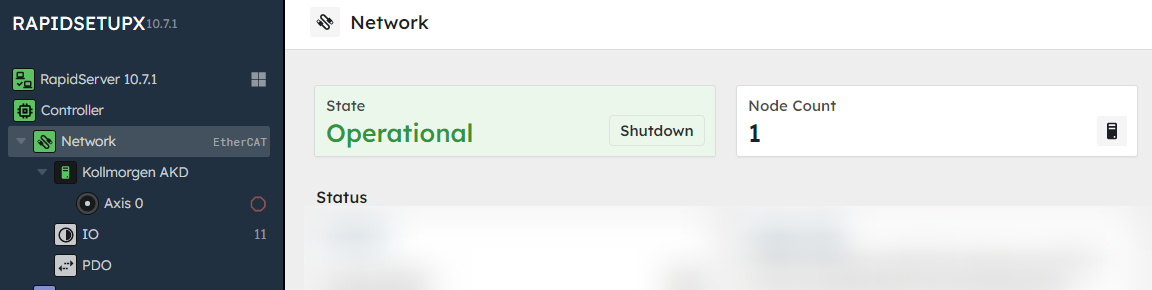
This guide assumes you are in an Operational network state. If you are not, please follow this guide.

  1. Verify you are in an Operational state (and have at least 1 node)
    If not, make sure your EtherCAT device is on and connected, and follow the steps here
    Step-1

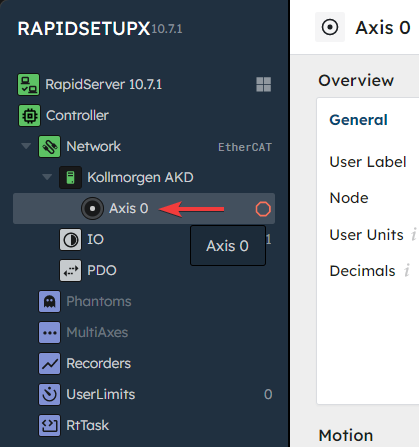
  2. Navigate to the "Axis" page
    Here you will enter in a few values
    Step-2

  3. Set User Units
    This will convert our position into terms of revolutions.
    • If you know the counts per revolution of your encoder: enter that value into the User Units field.
    • If you don't: use the procedure shown at 🔹 Estimate Encoder Resolution under the RapidSetupX tab.

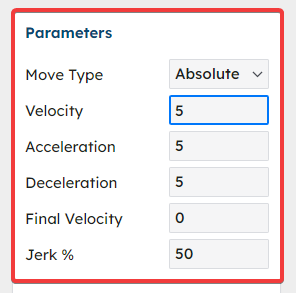
  4. Input Velocity, Acceleration, and Deceleration
    It is recommended to start with low values. You can also change the motion type from Absolute to Relative or Velocity.
    Step-4

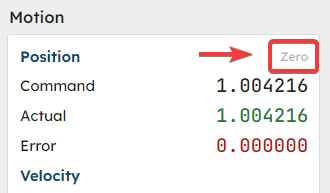
  5. Zero Out Position

    Step-5

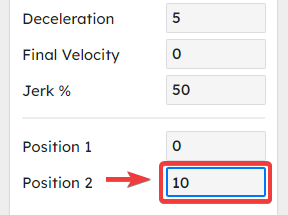
  6. Enter desired ending position
    This value is based off User Units, so it will be the number of full revolutions your axis makes
    Step-6

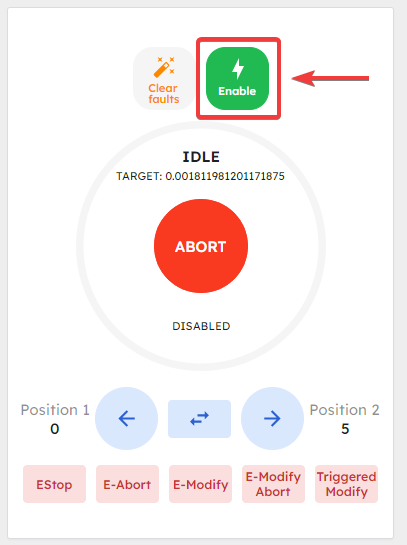
  7. Enable the Amplifier

    • First, enable the amplifier on your motor drive
    • Then, click the Enable button in RapidSetupX
      Step-7

    RapidSetupX is now ready to move your motor

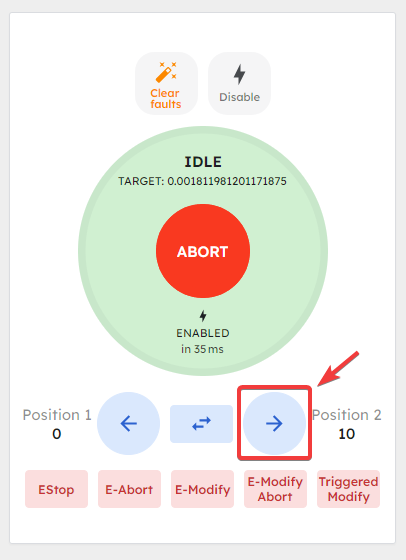
  8. Move Forward
    Make sure your motor is in a safe and secure location. When adjusting parameters, motors can sometimes have unexpected behavior. The motor will stop once it has reached the designated position.
    Step-7

    🛑 If you encounter the error -> LimitError: Position Error Limit
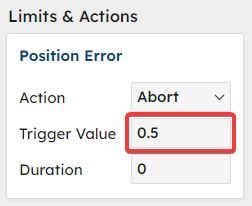
    If your Position Error Limit trigger value is very small, it may have erroneously changed while setting user units.

    • Make sure it is set to a reasonable value so that small encoder jitter won't halt the motion.
    • Click the Clear faults button to acknowledge the error, and repeat from step 7.
  9. Check Limits and Action
    Adjusting limits and actions can have unintended consequences. Kindly implement essential safety measures to safeguard both yourself and those around you. Feel free to reach out to us for tailored guidance on enhancing the security of your system.
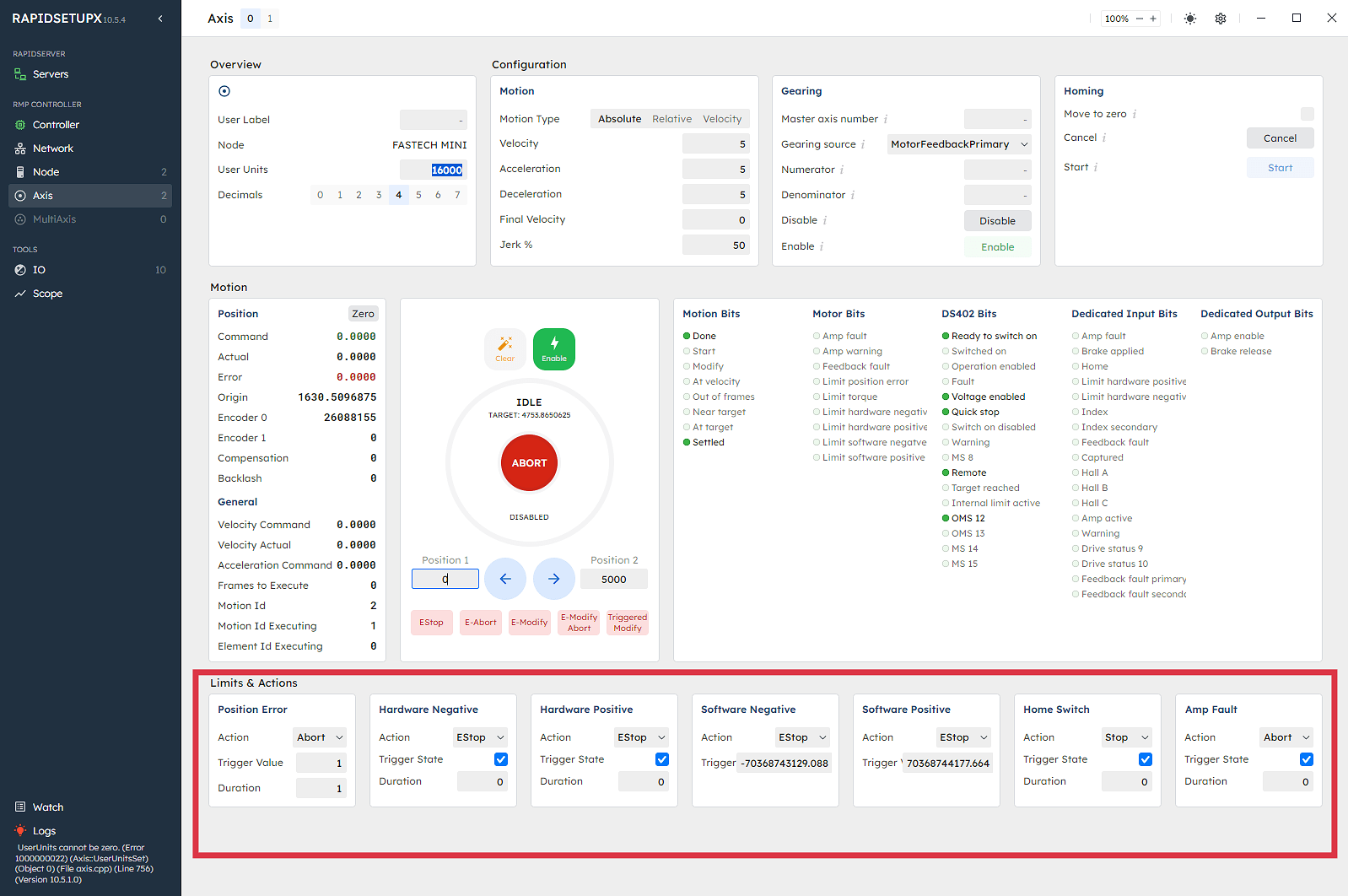
    Step-8

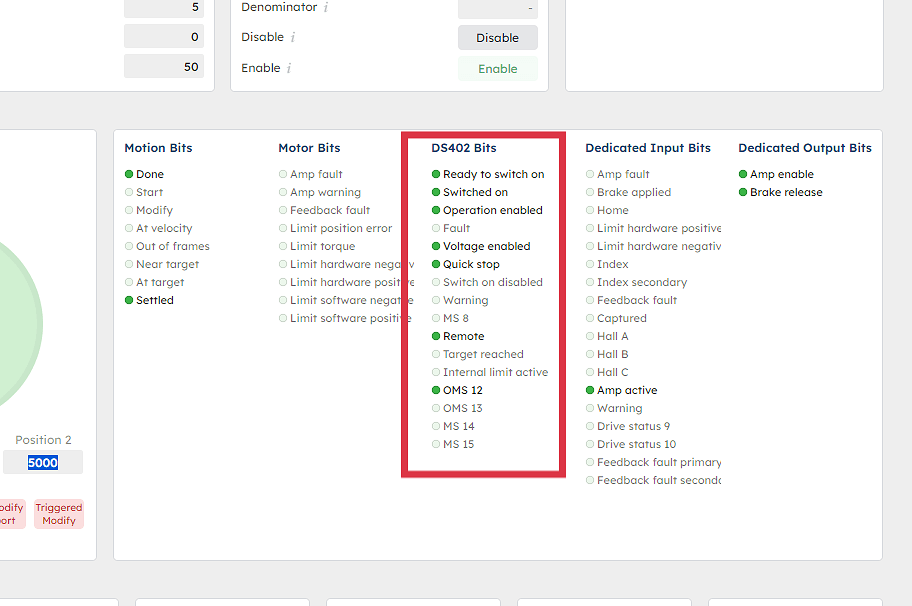
  10. Monitor DS402 Bits as you go
    These will tell you more about the state of your axis
    Step-9

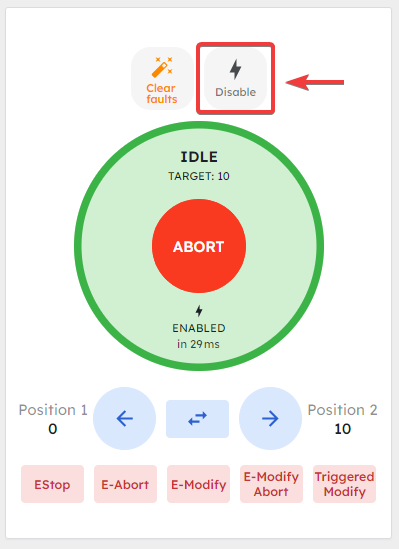
  11. Disable the amplifier when you're finished
    Step-11


You have now moved an axis with RapidSetupX